Deadlock is a third-person MOBA shooter currently in development by Valve. Even whilst still being in an invite-only playtest, Deadlock has already built a dedicated and growing player base. With an expanding roster of characters, each with unique abilities and mechanics to manage, having a strong and stable connection in Deadlock is essential.
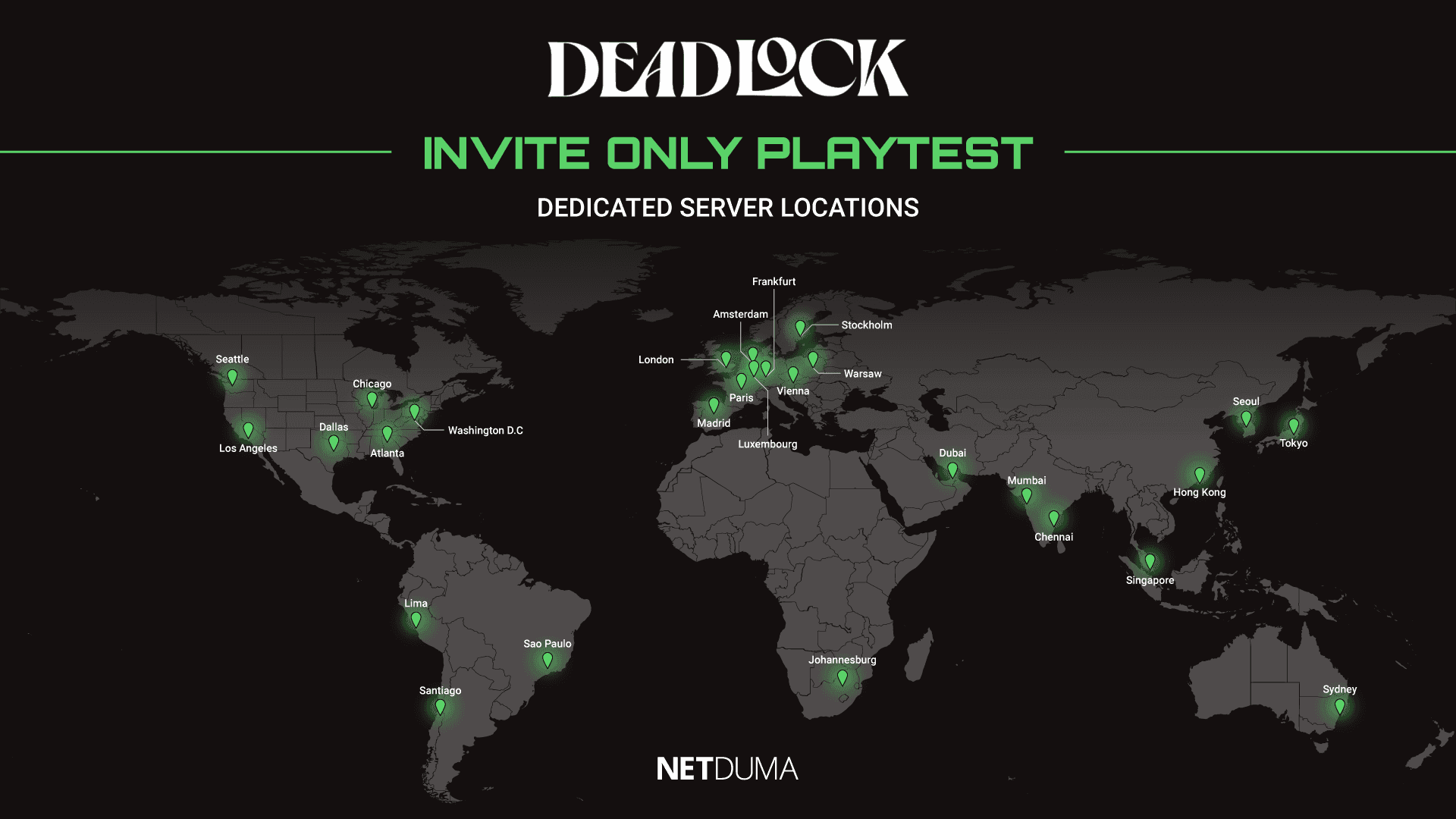
The game server you connect to is the biggest factor affecting your connection quality. In this blog, we’ll show you the official Deadlock server locations, explain why the server you connect to matters, and cover how you can choose which server you play on.
Why Do Deadlock Servers Matter?
In a game where success relies on pinpoint accuracy and smooth, responsive movement, your connection needs to be rock solid. The server you connect to is the main factor that determines how good your connection will be.
This is because your ping is directly influenced by the distance between your PC and the game server. For the best online gaming experience, you want a low ping connection, which means playing on servers that are physically close to your location.
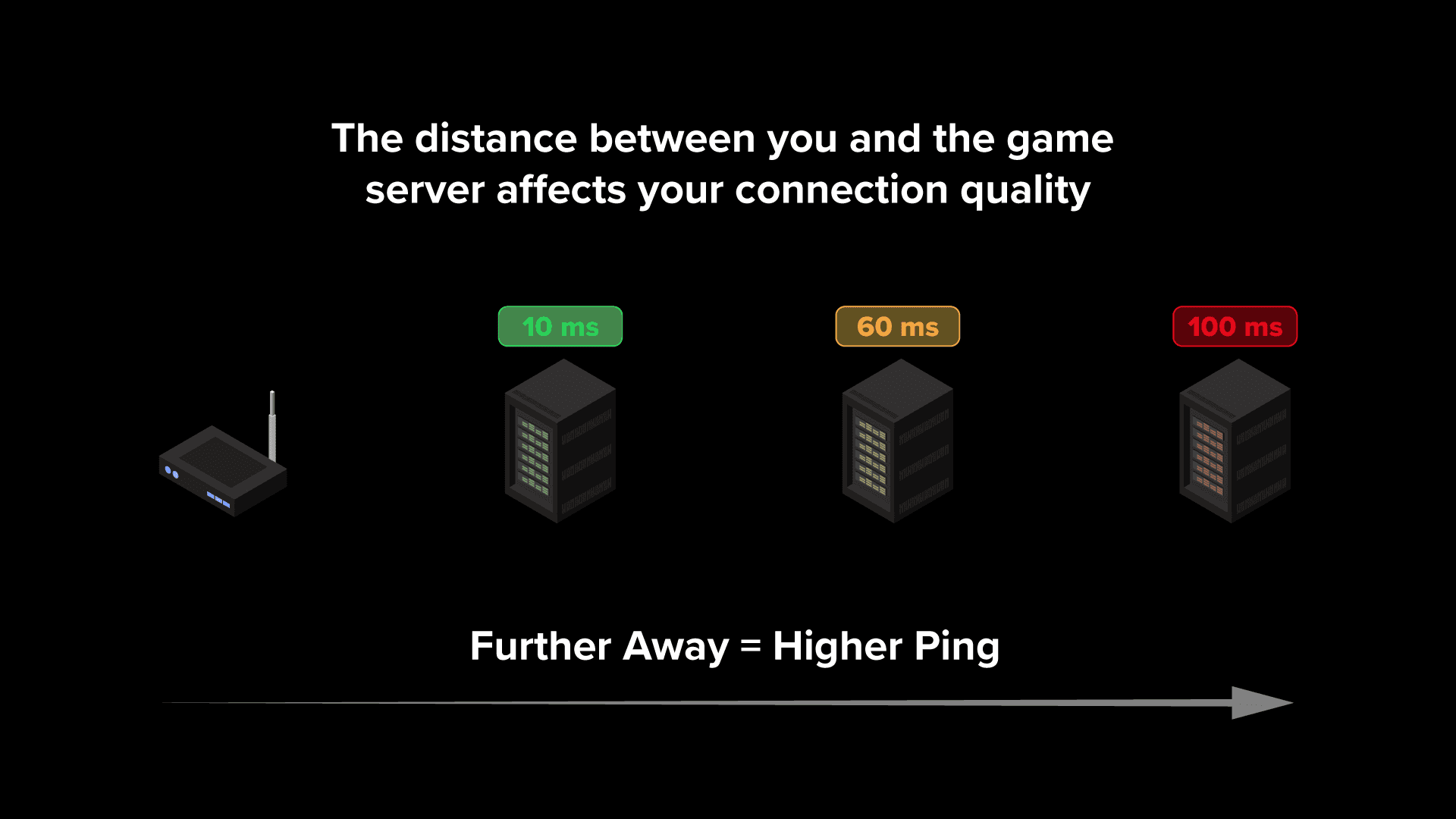
Unfortunately, this doesn’t always happen by default due to the way matchmaking systems work. These systems take multiple factors into account when matching players together, which can result in you being connected to higher ping servers.
Currently, there’s no way to manually choose your server in Deadlock through the game’s settings. In previous patches, a console command allowed players to limit the regions they matched within, but this still didn’t guarantee a great connection. Especially within larger regions, some servers may still result in higher ping depending on your exact location in relation to them.
How to Change Your Server in Deadlock
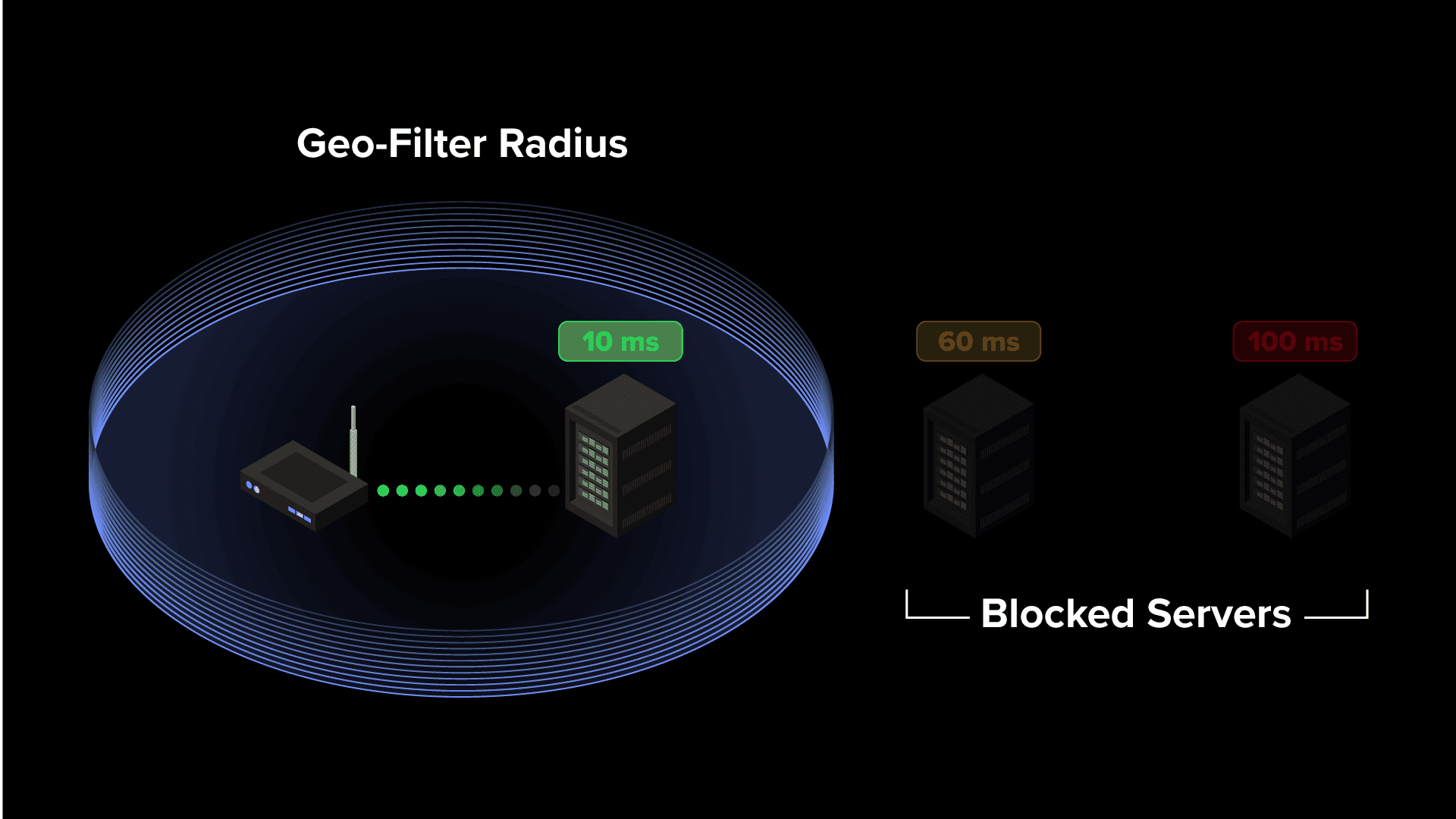
The only way to reliably control which servers you connect to in Deadlock is by using the Geo-Filter feature on the Netduma R3 gaming router.
The Geo-Filter lets you create a customisable filter that blocks connections to servers outside of your chosen area. By restricting connections to only the servers closest to you, it ensures you consistently play on a low ping connection — ideal for Deadlock’s fast-paced, competitive gameplay.
If you’d like to learn more about how the Geo-Filter works and how to set it up, check out our full Geo-Filter guide video here.
The Netduma R3 also includes other powerful gaming features designed to further optimise your connection and eliminate common connection issues. You can explore all of the R3’s features on our website here.
Deadlock Server Status
Even if you’re connected to the best possible server, your connection can still be affected if that server is overloaded or experiencing issues. Since Deadlock is actively in development, server changes and instability are to be expected, which may impact performance.
If you’re experiencing login issues or higher ping than usual, it’s worth checking the Deadlock server status before troubleshooting your own network.
The most reliable source we’ve found for tracking Deadlock server status is the Steam Status page. As Deadlock is developed by Valve, the creators of Steam, it uses the same server infrastructure.