When you're searching for a match in an online game, you probably don’t think about which server you’ll connect to. However, the game server you’re assigned plays a major role in your connection quality, affecting your ping, latency, and overall gameplay experience.
Unless a game includes an in-built server browser, information about server locations and which server you’ve been connected to is rarely available to players.
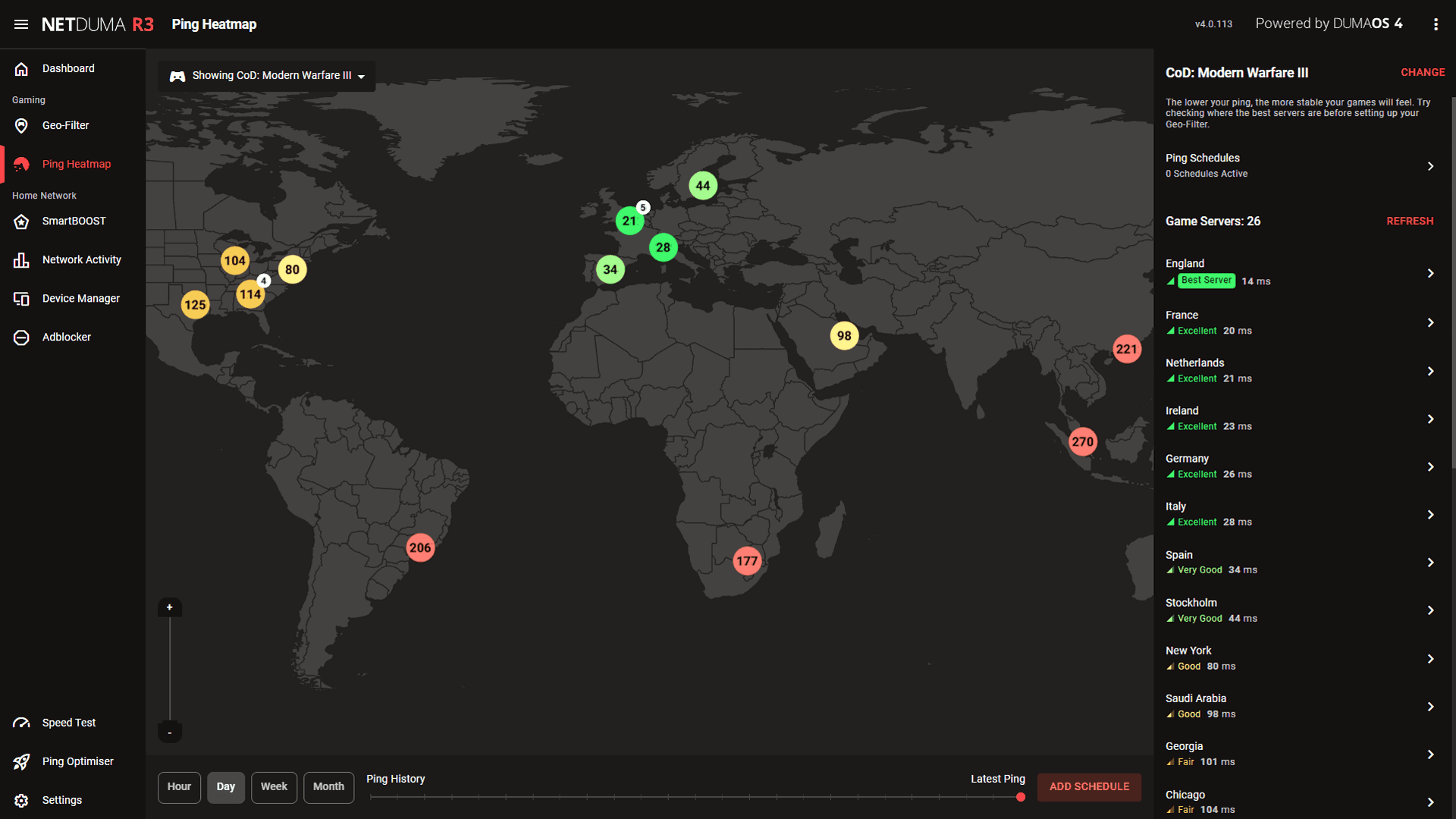
Over the years, the team at Netduma has become a leading source for game server location insights through our Geo-Filter and Ping Heatmap features, included with our gaming routers. Using these tools, we’ve created content across our social media channels and blogs so players can easily view server information for supported games.
This content has helped players understand where game servers are located and which servers provide the best connection quality. Along the way, it has also raised many important questions, which we’ll answer throughout this blog.
Why Do Game Server Locations Matter?
If you have connection quality metrics like ping and packet loss enabled in your game, you may have noticed that these values vary from match to match. This happens because connecting to different game servers can result in different connection quality depending on the server’s distance from your location.
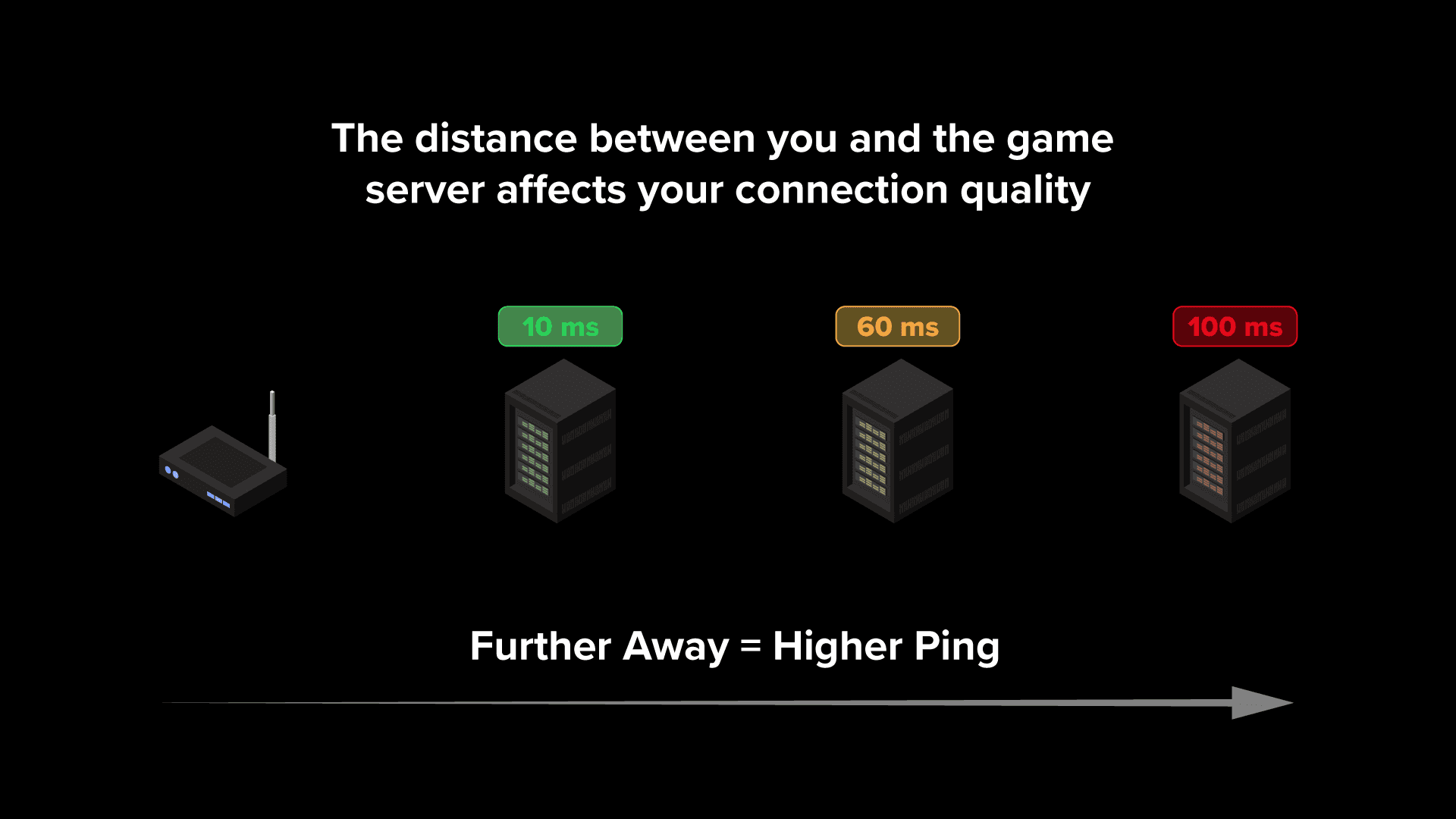
In general, servers that are geographically closer to you will provide the lowest ping. This is because your game data has a shorter physical distance to travel between your device and the server, reducing delay and improving latency.
The opposite is also true. Connecting to servers that are further away increases delay, resulting in higher ping and worse connection quality. This becomes especially problematic in fast-paced competitive online games, where higher ping can put you at a significant disadvantage.
Server performance and server load can also impact your gameplay experience. During peak hours or after a major game launch or update, servers may experience increased stress, reducing performance and affecting your connection quality. Services such as online game server status trackers and Downdetector can be useful for checking whether your favourite game servers are currently experiencing issues or outages.
Why Do Online Games Connect You to Different Servers?
You might assume that online games would always prioritise your connection quality when assigning you a server. However, with modern matchmaking systems, that’s not always the case.
When searching for a match, games now factor in a huge range of variables, including your skill level, matchmaking rating, and queue time. These factors often take priority over connection quality because faster matchmaking and balanced lobbies help keep players engaged for longer.
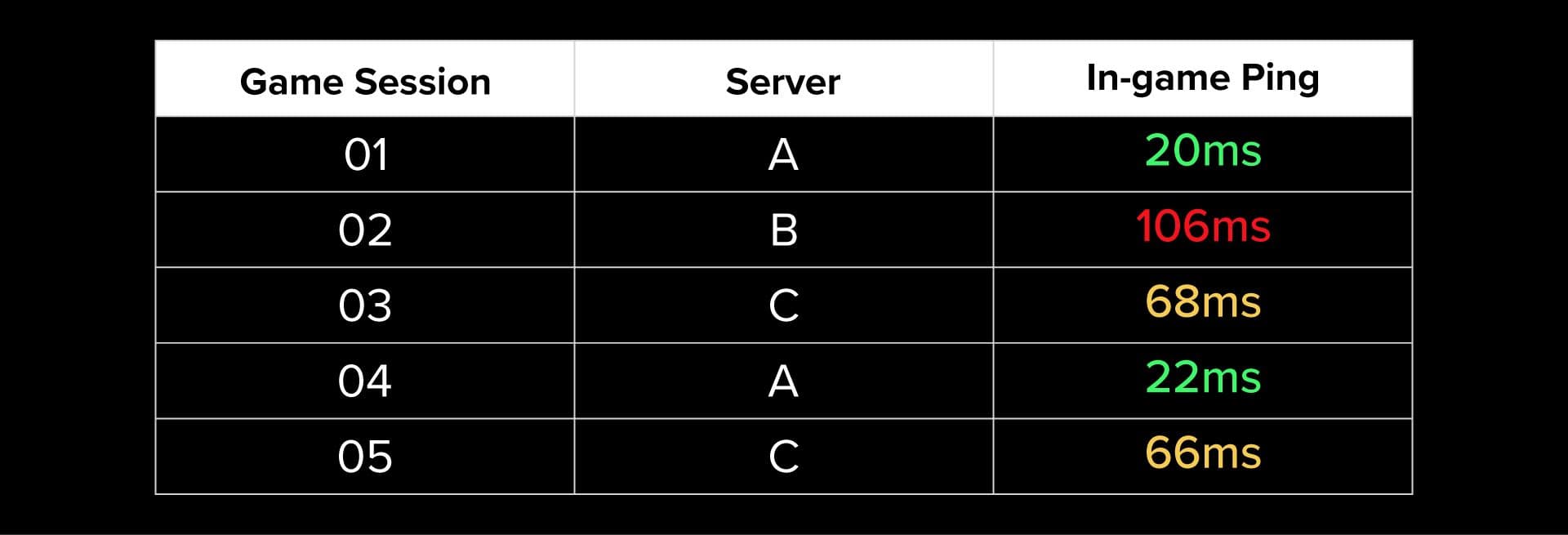
Back in the day, matchmaking was much simpler, and the phrase “ping is king” accurately described the online gaming experience. But with the rise of complex matchmaking systems and engagement-based algorithms, your connection quality can now vary massively between matches.
This creates frustration for many players because performance can suffer when connected to a higher ping server, and overall gameplay quality becomes inconsistent from game to game.
This is exactly why we originally developed our range of gaming routers and advanced connection optimisation features. In the next section, we’ll explain how the Netduma R3's powerful features can solve these issues.
How to Force Connection to Low Ping Servers
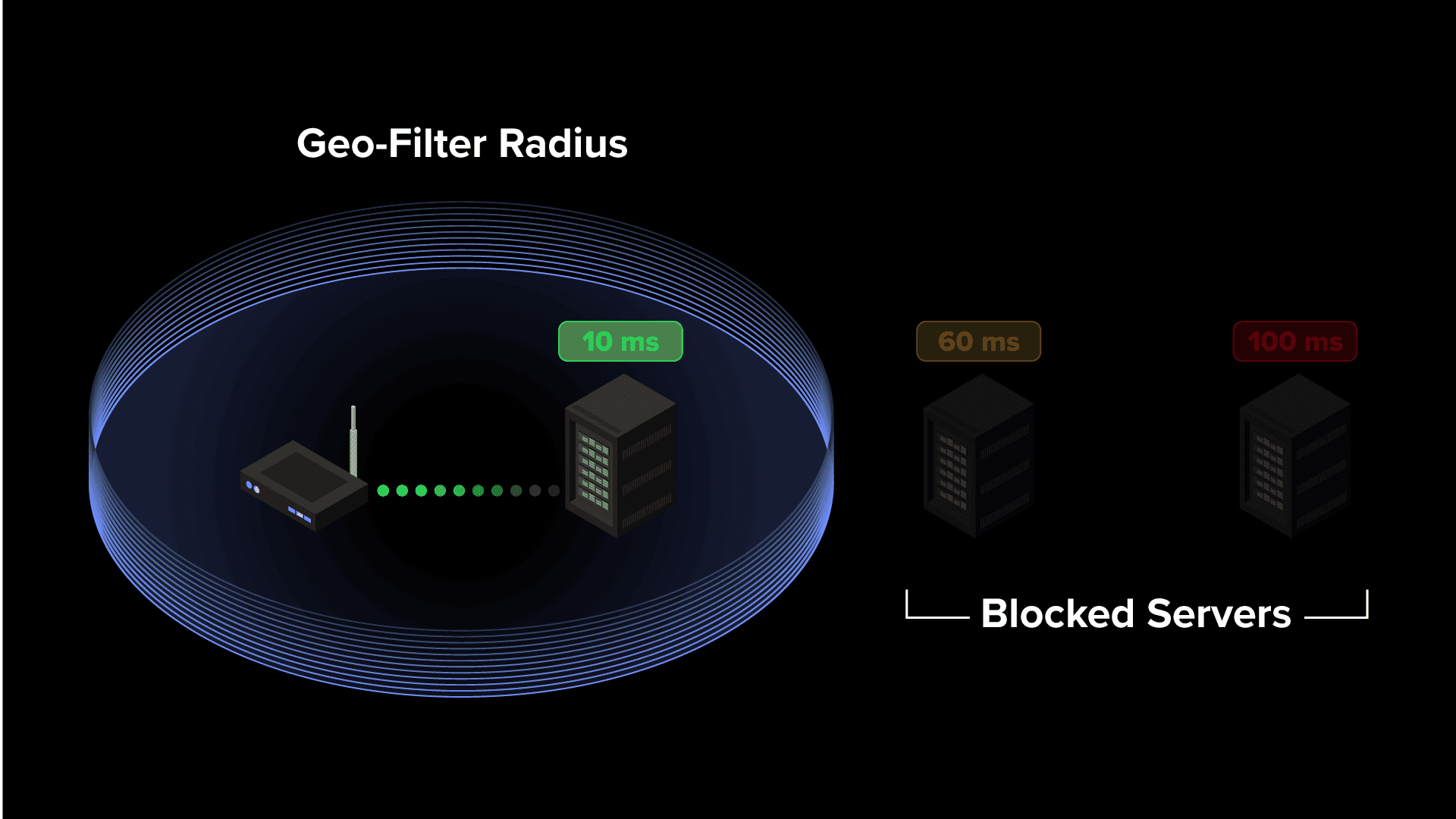
The best way to consistently play on low ping servers is by using the Netduma Geo-Filter feature. Geo-Filter allows you to force connections to specific servers while blocking high ping or underperforming servers.
The Geo-Filter works by creating a fully customisable filter radius around your location. Using the server location information provided by Ping Heatmap, you can then configure your filter to include only the servers that provide the best connection quality and lowest ping.
Once configured, you’ll only connect to servers within your selected filter radius. You'll also be able to see which server you're connecting to and servers being blocked in real time within Geo-Filter interface. This creates a far more consistent online gaming experience, ensuring stable ping and reliable connection quality every match.
If you want to learn more about the setup process or functionality of Geo-Filter, we have full video guide and blog guide resources covering everything the feature can do.